I’ve come up with a trick that can be used in some very specific scenarios in order to avoid extra array copying when calling into native code from managed code (e.g. C#). This won’t usually work for regular P/Invokes into all your favorite Win32 APIs, but I’m hopeful it’ll be useful for someone somewhere. It’s not even evil! No hacks required.
Many native methods require the caller to allocate the array and specify its length, and then the callee fills it in or returns an error code indicating that the buffer is too small. The technique described in this post is not necessary for those, as they can already be used optimally without any copying.
Instead, let’s talk about the general problem if you’re calling a native method which does the array allocation and then returns it. You can’t use it as a “managed array” unless you copy it into a brand new managed array (don’t forget to free the native array). In other words, native { T* pArray; size_t length; } cannot be used as a simple managed T[] as-is (or even with modification!). The managed runtime didn’t allocate it, won’t recognize it, and there’s nothing you can do about it. Very few managed methods will accept a pointer and a length, and will require a managed array. This is particularly irksome when you want to use System.IO.Stream.Read() or Write() with bytes from a native-side buffer.
Paint.NET uses a library written in classic C called General Polygon Clipper (GPC), from The University of Manchester, to perform polygon clipping. This is used for, among other things, when you draw a selection with a mode such as add (union), subtract (exclude), intersect, and invert (“xor”). I blogged about this 4 years ago when version 3.35 was about to be released: using GPC made these operations immensely faster, and I saved a lot of time and headache by purchasing a commercial use license for the library and then integrating it into the Paint.NET code base. tl;dr: The algorithms for doing this are nontrivial and rife with special corner cases, and I’d been struggling to find enough sequential time to implement and debug it on my own.
Anyway, the data going into and coming out of GPC is an array of polygons. Each polygon is an array of points, each of which is just a struct containing X and Y as double-precision floating point values. To put it simply, it’s just a System.Windows.Point[][] (I actually use my own geometry primitives nowadays, but that’s another story, and it’s the same exact thing).
Getting this data into GPC from the managed side is easy. You pin every array, and then hand off the pinned pointers to GPC. Since you can’t use the “fixed” expression with a dynamic number of elements, I use GCHandle directly and stuff them all into GCHandle[] arrays for the duration of the native call. This is great because on the managed side I can work with regular ol’ managed arrays, and then send them off to GPC as “native arrays” by pinning them and using the pointers obtained from GCHandle.AddrOfPinnedObject().
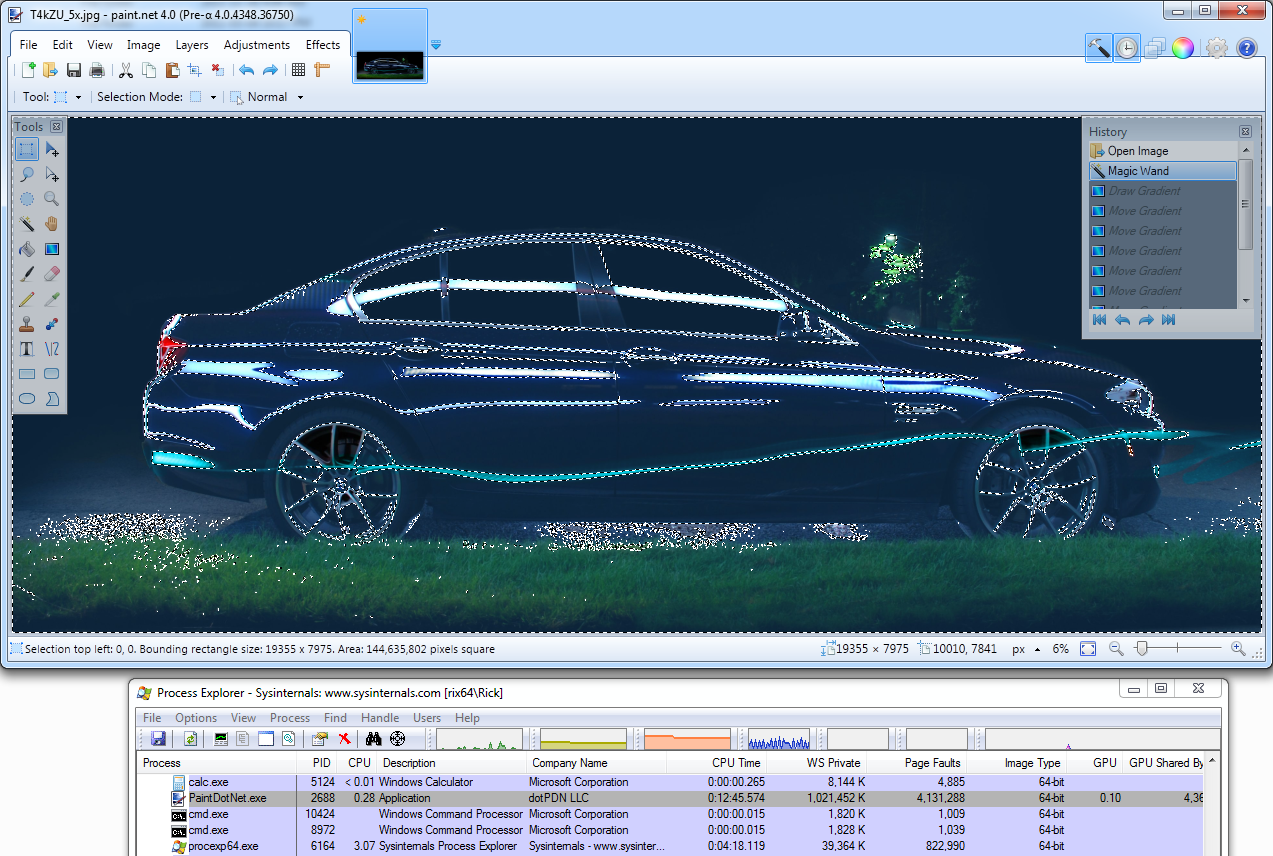
Now, here’s the heart breaking part. GPC allocates the output polygon using good ol’ malloc*. So when I get the result back on the managed side, I must copy every single last one so that I can use it as a Point[] (a managed array). This ends up burning a lot of CPU time, and can cause virtual address space claustrophobia on 32-bit/x86 systems when working with complex selections (e.g. Magic Wand), as you must have enough memory for 2 copies of the result while you’re doing the copying. (Or you could free each native array after you copy it into a managed array, but that’s an optimization for another day, and isn’t as straightforward as you’d think because freeing the native memory requires another P/Invoke, and those add up, and so it might not actually be an optimization.)
But wait, there’s another way! Since the code for GPC is part of my build, I can modify it. So I added an extra parameter called gpc_vertex_calloc:
typedef (gpc_vertex *)(__stdcall * gpc_vertex_calloc_fn)(int count);
GPC_DLL_EXPORT(
void, gpc_polygon_clip)(
gpc_op set_operation,
gpc_polygon *subject_polygon,
gpc_polygon *clip_polygon,
// result_polygon holds the arrays of gpc_vertex, aka System.Windows.Point)
gpc_polygon *result_polygon,
gpc_vertex_calloc_fn gpc_vertex_calloc);
("gpc_vertex” is GPC’s struct that has the same layout as System.Windows.Point: X and Y, defined as a double.)
In short, I’ve changed GPC so that is uses an external allocator by passing in a function pointer it should use instead of malloc. And now if I want I can have it use malloc, HeapAlloc, VirtualAlloc, or even the secret sauce detailed below.
On the managed side, the interop delegate definition for gpc_vertex_calloc_fn gets defined as such:
[UnmanagedFunctionPointer(CallingConvention.StdCall)]
public delegate IntPtr gpc_vertex_calloc_fn(int count);
And gpc_polygon_clip’s interop defintion is like so:
[DllImport(“PaintDotNet.SystemLayer.Native.x86.dll”, CallingConvention = CallingConvention.StdCall)]
public static extern void gpc_polygon_clip(
[In] NativeConstants.gpc_op set_operation,
[In] ref NativeStructs.gpc_polygon subject_polygon,
[In] ref NativeStructs.gpc_polygon clip_polygon,
[In, Out] ref NativeStructs.gpc_polygon result_polygon,
[In] [MarshalAs(UnmanagedType.FunctionPtr)] NativeDelegates.gpc_vertex_calloc_fn gpc_vertex_calloc);
So, we’re half way there, and now we need to implement the allocator on the managed side.
internal unsafe sealed class PinnedManagedArrayAllocator<T>
: Disposable
where T : struct
{
private Dictionary<IntPtr, T[]> pbArrayToArray;
private Dictionary<IntPtr, GCHandle> pbArrayToGCHandle;
public PinnedManagedArrayAllocator()
{
this.pbArrayToArray = new Dictionary<IntPtr, T[]>();
this.pbArrayToGCHandle = new Dictionary<IntPtr, GCHandle>();
}
// (Finalizer is already implemented by the base class (Disposable))
protected override void Dispose(bool disposing)
{
if (this.pbArrayToGCHandle != null)
{
foreach (GCHandle gcHandle in this.pbArrayToGCHandle.Values)
{
gcHandle.Free();
}
this.pbArrayToGCHandle = null;
}
this.pbArrayToArray = null;
base.Dispose(disposing);
}
// Pass a delegate to this method for “gpc_vertex_calloc_fn”. Don’t forget to use GC.KeepAlive() on the delegate!
public IntPtr AllocateArray(int count)
{
T[] array = new T[count];
GCHandle gcHandle = GCHandle.Alloc(array, GCHandleType.Pinned);
IntPtr pbArray = gcHandle.AddrOfPinnedObject();
this.pbArrayToArray.Add(pbArray, array);
this.pbArrayToGCHandle.Add(pbArray, gcHandle);
return pbArray;
}
// This is what you would use instead of, e.g. Marshal.Copy()
public T[] GetManagedArray(IntPtr pbArray)
{
return this.pbArrayToArray[pbArray];
}
}
(“Disposable” is a base class which implements, you guessed it, IDisposable, while also ensuring that Dispose(bool) never gets called more than once. This is important for other places where thread safety is very important. This class is specifically not thread safe, but it should be reasonably easy to make it so.)
And that’s it! Well, almost. I’m omitting the guts of the interop code but nothing that should inhibit comprehension of this part of it. Also, the above code is not hardened for error cases, and should not be used as-is for anything running on a server or in a shared process. Oh, and I just noticed that my Dispose() method has an incorrect implementation, whereby it shouldn’t be using this.pbArrayToGCHandle, specifically it shouldn’t be foreach-ing on it, and should instead wrap that in its own IDisposable-implementing class … exercise for the reader? Or I can post a fix later if someone wants it.
After I’ve called gpc_polygon_clip, instead of copying all the arrays using something like System.Runtime.InteropServices.Marshal.Copy(), I just use GetManagedArray() and pass in the pointer that GPC retrieved from its gpc_vertex_calloc_fn, aka AllocateArray(). When I’m done, I dispose the PinnedManagedArrayAllocator and it unpins all the managed arrays. And this is much faster than making copies of everything.
Now, this isn’t the exact code I’m using. I’ve un-generalized it in the real code so I can allocate all of the arrays at once instead of incurring potentially hundreds of managed <—> native transitions for each allocation. The above implementation also doesn’t have a “FreeArray” method; I had one, but I ended up not needing it, so I removed it.
So the next time you find yourself calling into native code which either 1) allows you to specify an external allocator, or 2) is part of your build, and that 3) involves lots of data and thus lots of copying and wasted CPU time, you might just consider using the tactic above. Your users will thank you.
Lastly, I apologize for my blog’s poor code formatting.
Legal: I hereby place the code in this blog post into the public domain for anyone to do whatever they want with. Attribution is not required, but I certainly appreciate if you send me an e-mail or post a comment and let me know it was useful for you.
* Actually in Paint.NET 3.5, I changed it to use HeapAlloc(). This way I can get an exception raised when it runs out of memory, instead of corrupt results. This does happen on 32-bit/x86, especially when using the Magic Wand on large images.
 ) to install .NET 4.5. Maybe you’d like to use the ProfileOptimization class in your next “dot release” (e.g. v1.0.1) as a free performance boost for those who’ve upgraded to .NET 4.5, but without displacing those who haven’t.


 I’m glad the ReactOS guys are having use and fun with it. If you want the source, you’re better off checking out